High-performance remote desktop software, built for remote use
Your PC,
on your phone.
Games, work, creative work and modeling.
Any demanding task at the full performance of your PC, smoothly on your phone.
High-performance remote desktop software, built for remote use
Even the games
remote could not play.
Lineage · LoL · Valorant · Aion · Aion 2
The Game Driver gets remote input into the game.
01 · Work
Your office PC,
in your pocket.
Reports, spreadsheets, in-house software. Open your PC just as it is, before you get to the office or on a business trip.
02 · Creative
Editing and rendering,
checked from outside.
The PC does the heavy work; on the phone you just look and adjust. Start a render, go out, and see the progress right away.
03 · Modeling
Heavy tools,
made light.
For GPU-heavy tools such as Photoshop, ZBrush and Unity, the PC does the computing and only the picture comes to your phone. Tablet pens work as they are, and in the Android app and on the web you can also connect a gamepad, keyboard and mouse.
Remote,
yet like sitting at your PC
Performance from focusing on remote alone. The picture itself is different from ordinary remote software.
60fps
1080p 60fps for free
When connecting PC to PC
240Hz
4K high refresh rate (Remote License)
Fast games keep their frames
4:4:4
4:4:4 color
1.07 billion colors · on PC-to-PC connections
P2P
Direct P2P first
Falls back to a relay server when needed
Even on shaky Wi-Fi,
the picture holds.
The bitrate adjusts automatically to network conditions. On the subway, in a cafe, on hotel Wi-Fi abroad.
- Built on WebRTCBandwidth estimation · error correction
- Automatic bitrateFollows network conditions, nothing to set
- Direct P2P firstFalls back to a relay server when needed
- DTLS-SRTP encryptionDTLS 1.2
Even when network delay spikes
Illustrative graph.
Controls that fit your hands
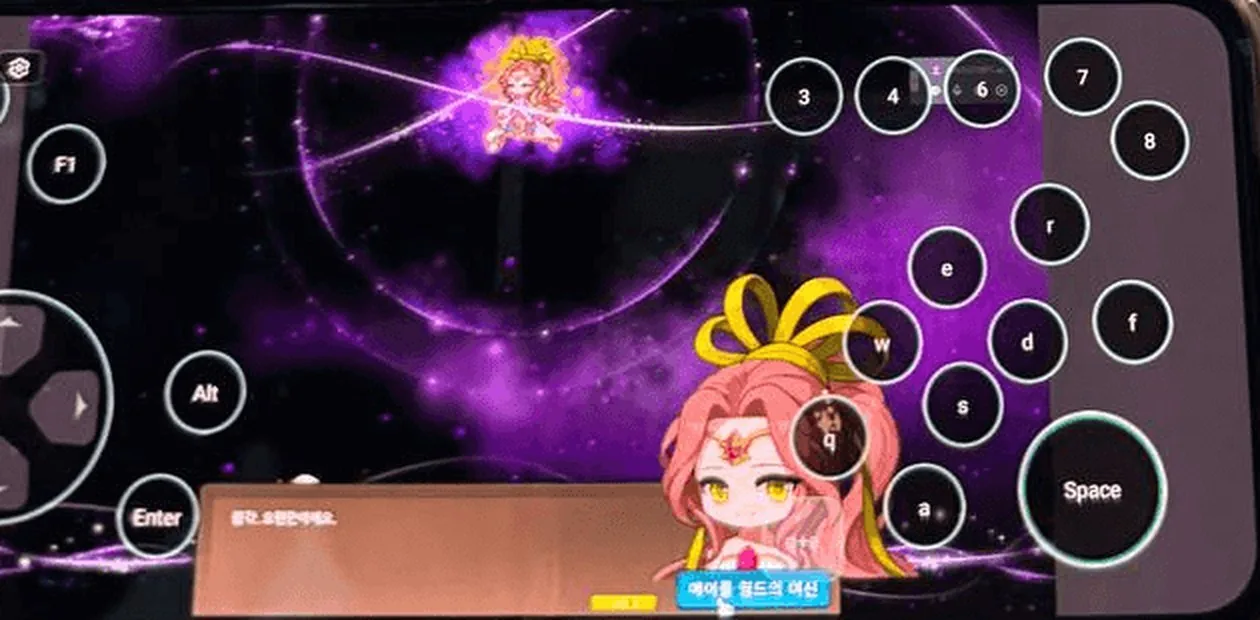
Touching the screen is the mouse. Choose on-screen keyboard buttons or a gamepad.
Actual DeepLink remote screen · Android
-
Touch = mouse
Tap to click, drag to drag
-
External devices
Tablet pen support. Android app and web: gamepad, keyboard and mouse. PC to PC: gamepad and USB redirection · Remote License required
-
Game Driver
Play games that block remote input · Remote License required
The PC stays home,
you go anywhere
On the move · office · school · military service · abroad
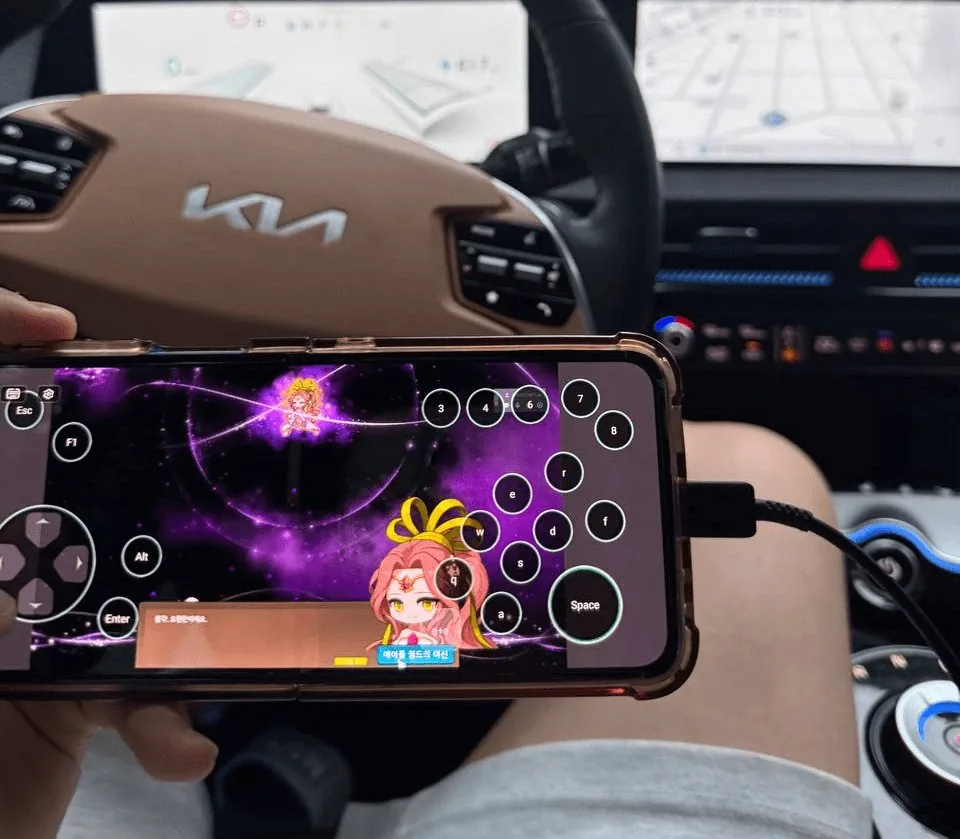
On the move
Even in a spare moment,
your PC as it is
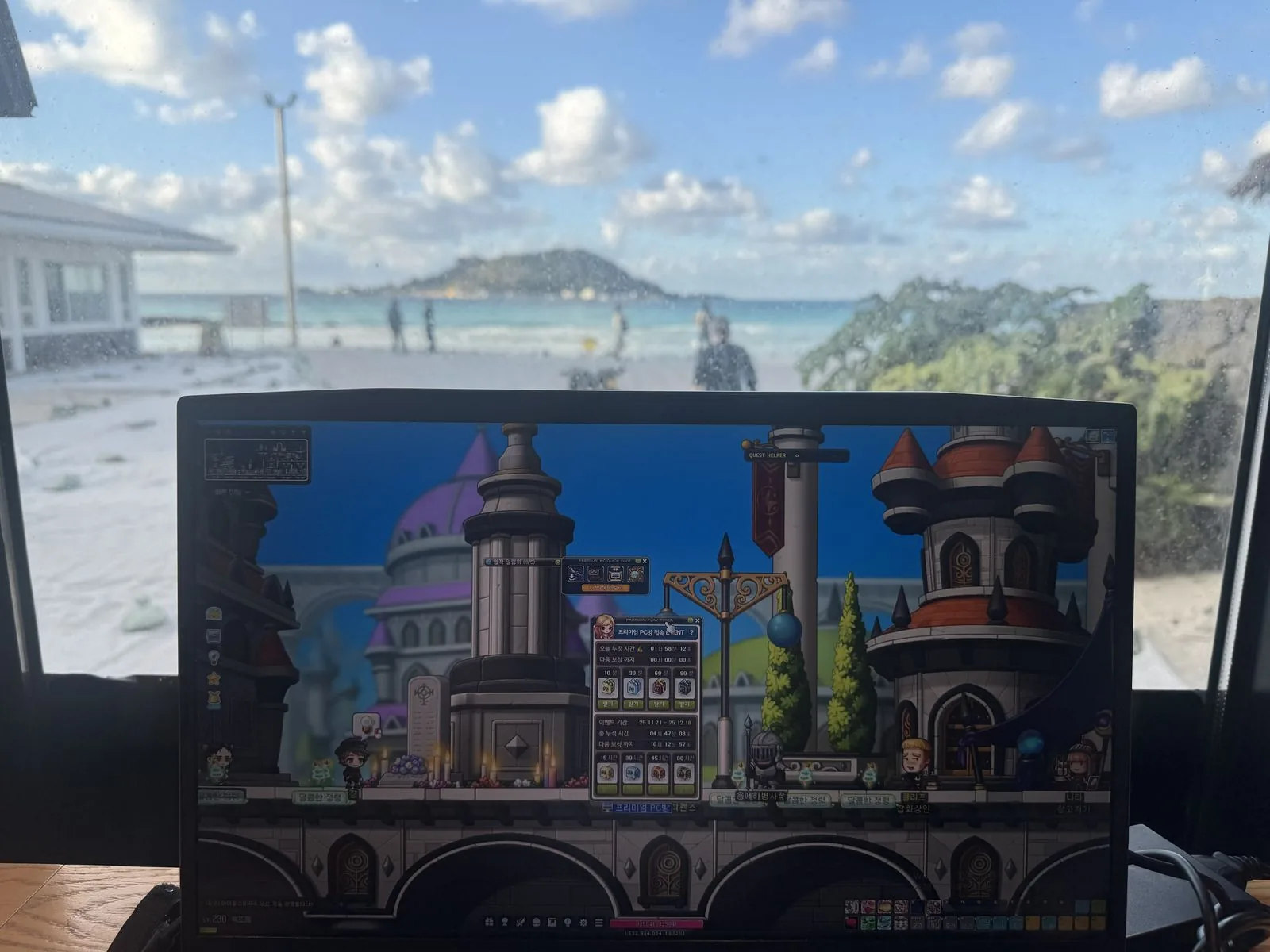
Work
Open your office PC from a cafe
Creative
On the way home,
check the render
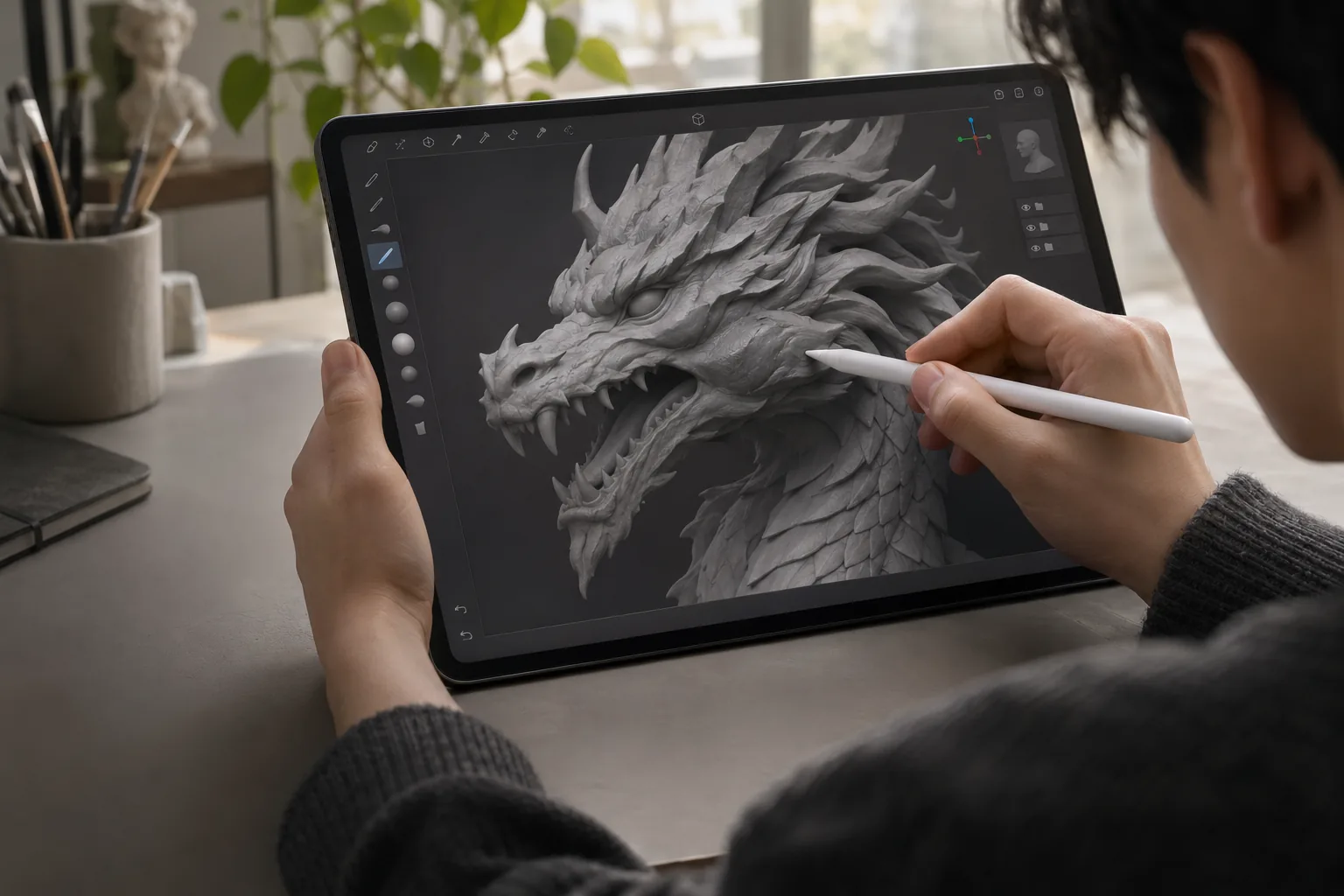
Modeling
Sculpting
on a tablet
How to play PC games on your phone → Managing AI coding tools from your phone →
The devices you already have
Install it on the PC, then connect from a phone, a tablet or another PC.
The PC you connect to
Windows PC
Install DeepLink on your home or office PC, stay logged in, and you are ready.
The device you connect from
Android
Connect with the dedicated app. Put keyboard and gamepad buttons on screen to control.
The device you connect from
iPhone · iPad
Connect on the web in Chrome, nothing to install.
The device you connect from
Laptop · another PC
The full performance of a high-end PC, even from a low-end laptop.
NEW · BETA
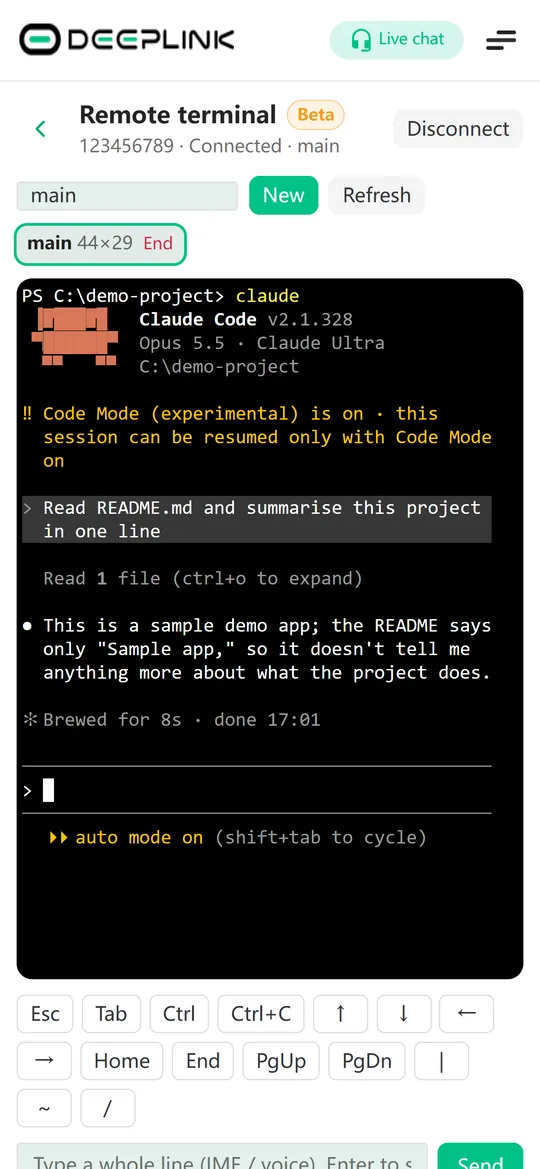
The AI agent running on your PC,
direct it from your phone.
With Remote Terminal (beta) you can open your PC's command line on your phone while you are out, see how AI coding tools such as Claude Code or Codex are getting on and type the next instruction.
How to manage AI coding tools from your phone → Remote Terminal setup and security →
Only I
open my PC.
Start free,
go premium when you need it
Basic
Free
- PC-to-PC remote desktop (up to 1080p · 60fps)
- 4:4:4 color on PC-to-PC connections
- HDR on PC-to-PC connections
- Unattended access with a device code and fixed password
- Screen lock · mute the remote PC
- Network speed, resolution and frame-rate settings
- Share a remote link
- Mouse and keyboard recovery
- File transfer between PCs (upload · download · drag and drop)
- Virtual display · multi-stream on PC-to-PC connections
Premium · Remote License
$6
From $6 / month (1-month pass)
- Everything in Basic
- Control your PC from a phone, tablet or web browser
- Up to 4K · 240fps, higher relay bitrate
- Gamepad (PC to PC)
- Remote SSH · privacy screen
- Screenshots (PC)
- USB redirection
- Virtual joystick · disable mouse (web, Android)
- Custom key sync (web, Android)
- Game Driver: play games that block keyboard and mouse input over ordinary remote software (Lineage · LoL · Valorant · Aion · Aion 2)
- Remote Terminal (beta) — your PC’s command line from a phone or browser, for managing AI agents (version 1.1.3.54 or later)
Games supported by Game Driver (Korean page)
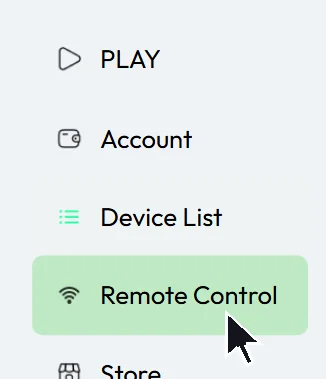
You buy and activate the license in the "Remote Control" menu of the DeepLink program.
If either the controlling account or the controlled account has an active license, premium features are available in that remote connection (applies to PC, mobile and browser connections alike).
| Features | Free | Remote licence |
|---|---|---|
| PC-to-PC remote desktop (up to 1080p · 60fps) | Included | Included |
| 4:4:4 colour · HDR on PC-to-PC connections | Included | Included |
| Unattended access with a device code and fixed password | Included | Included |
| Screen lock · mute the remote PC | Included | Included |
| Network speed, resolution and frame-rate settings | Included | Included |
| Automatic bitrate adjustment for your network (PC) | Included | Included |
| Virtual display · multi-stream (1080p / 1440p, PC-to-PC) | Included | Included |
| File transfer between PCs (upload · download · drag and drop) | Included | Included |
| Share a remote link | Included | Included |
| Mouse and keyboard recovery | Included | Included |
| Control your PC from a phone, tablet or web browser | —Not included | Included |
| Up to 4K · 240fps | —Not included | Included |
| Gamepad (PC to PC) | —Not included | Included |
| Privacy screen | —Not included | Included |
| USB redirection | —Not included | Included |
| Screenshots (PC) | —Not included | Included |
| Remote SSH | —Not included | Included |
| Virtual joystick · disable mouse (web, Android) | —Not included | Included |
| Custom key sync (web, Android) | —Not included | Included |
| Game driver (Lineage · League of Legends · VALORANT · AION · AION 2) | —Not included | Included |
| Price | Free | From $6 / month |
Remote licence prices (fixed-term passes, paid once, in US dollars): 1 month $6 · 3 months $16.20 ($5.40 per month) · 6 months $28.80 ($4.80 per month) · 12 months $50.40 ($4.20 per month).
How to use
Set up the PC once; after that you only tap on your phone.
-
01
Install DeepLink on the PC
Install it on the home or office PC (Windows) you want to reach remotely. Download →
-
02
Create an account
It is created at once, with no personal information. Be sure to keep the private key shown here somewhere safe. You need it to log in to the same account on your phone.
-
03
Activate the license in the "Remote Control" menu
Buy and activate the license under "Remote Control" in the left menu.
-
04
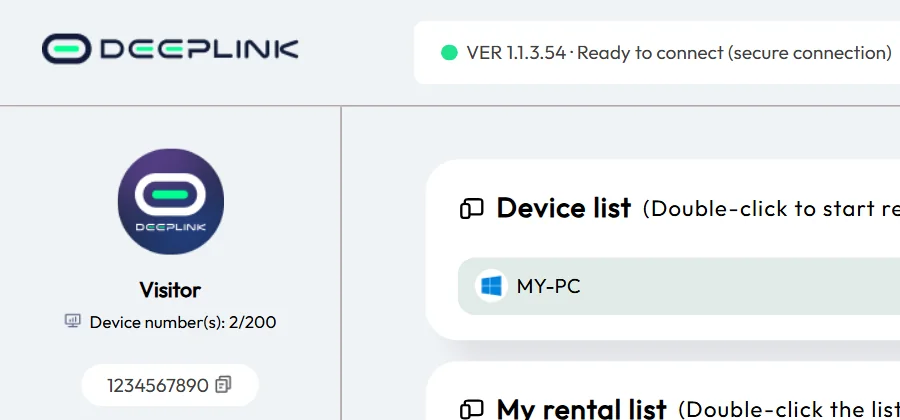
Find your PC in the Device list
When the logged-in PC appears in the Device list, you are ready. Leave the PC turned on.
-
01
Install the app
Download and install the dedicated Android app (APK). Get the app →
-
02
Log in with the same account
Log in with the account you created on the PC.
-
03
Select your PC
Tap the PC in My List and it connects at once. Turn the phone sideways.
-
04
Choose a control mode
Turn the keyboard and gamepad buttons on and off from the menu at the top left.
-
01
Open Chrome
iPhone and iPad connect in the Chrome browser, with no app to install.
-
02
Web remote access
Open the DeepLink web remote page and log in with the same account as the PC.
-
03
Add to Home Screen
Share → "Add to Home Screen" lets you open it like an app from then on.
-
04
Select your PC
Tap the PC in My List to connect. Turn sideways to fill the screen.
-
01
Touch = mouse
Tap once to click; press and drag to drag.
-
02
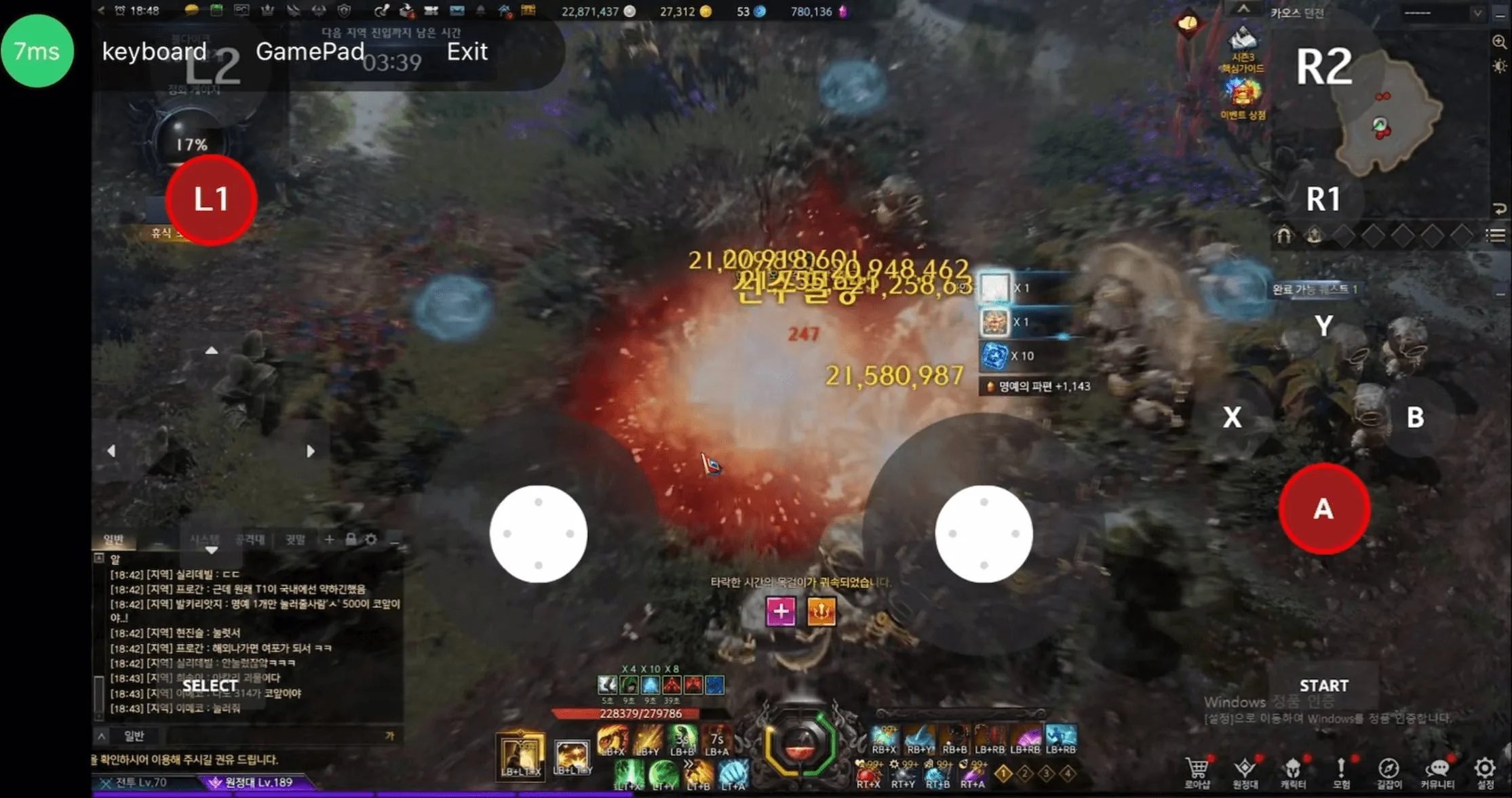
Keyboard buttons
Put Esc, F1, Alt, Enter, number and letter keys on the screen.
-
03
Gamepad buttons
Control gamepad games with a joystick and A, B, X, Y, L1 and R1 buttons.
-
04
Game Driver
For games that block remote input, the input method adjusts automatically when you start the game. There is nothing to turn on. A Remote License is required.
For an uninterrupted session
- On the PC, turn off sleep and hibernation. You cannot connect while the PC is asleep.
- For the PC, wired LAN is best if possible; for the phone, 5 GHz Wi-Fi or 5G.
- The bitrate adjusts automatically to network conditions. Nothing to set.
Download
Basic features are free.
Frequently asked questions
What is DeepLink?
It is a high-performance remote control program built for remote use. Install it on your home or office PC and you can operate that PC from a phone, a tablet or another PC. From documents to video editing, 3D modeling and games, you get the full performance of the PC.
Does it work on a low-end phone?
Yes. The remote PC does all the computing and the phone only receives the picture, so your internet connection matters more than the phone itself.
Does it work on iPhone?
Android uses the dedicated app. iPhone and iPad connect on the web in the Chrome browser.
Can I play games that block remote input?
Yes. Games that block remote input, such as Lineage, League of Legends, Valorant, Aion and Aion 2, can be played: the input method adjusts automatically when you start the game. There is no setting to turn on; remote control from a phone or a browser needs a Remote License.
Is it secure?
Screen and input data is sent protected with DTLS-SRTP encryption (DTLS 1.2). Only authorized devices can connect, and you sign up with a blockchain-based account without entering personal information.
About DeepLink
- DeepLink Remote is a remote control program for operating a Windows PC from a phone, a tablet or another PC. It is operated by DEEPCLOUDX INFORMATION TECH PTE. LTD., a company registered in Singapore.
- This site (deeplinkai.cloud) covers only the program for using your own PC remotely. The same company's service for using PC bang (Korean internet cafe) PCs remotely is at deeplinkgame.com, and the official DeepLink website is deeplink.cloud.
- "DeepLink" is a product name. It is unrelated to deep links, the technique for sending users straight to a specific screen in a mobile app.
- See also: Play your PC games on your phone · Announcements
High-performance remote desktop software, built for remote use