
TERMINAL · BETA
Open your PC's command line from your phone — Remote Terminal (beta)
Remote Terminal opens your PC's command line (PowerShell) from the Android app or a web browser. It opens only the terminal, not the whole screen, so you can check on jobs running on the PC and give commands while you are out. It is available in the personal and remote versions, not in the internet-cafe (PC bang) version.
When to use it
- To check on AI agents such as Claude Code or Codex running on your home PC and give the next command (how to)
- To see whether a long-running job has finished
- To restart a service or program running on the PC
Requirements (all are needed)
- Log in with a wallet
- The PC appears as your computer in the 'Device List' (My List) of the same wallet
- The same remote licence used for remote connections (Pricing)
- In DeepLink's settings on the PC, under 'Remote terminal', turn on 'Allow remote terminal' yourself (it is off at first)
How to start
Step 1 · Install on the PC and turn the setting on
- Install DeepLink 1.1.3.54 or later on the PC and log in with your wallet. Download · If you have an older version, install the latest version again.
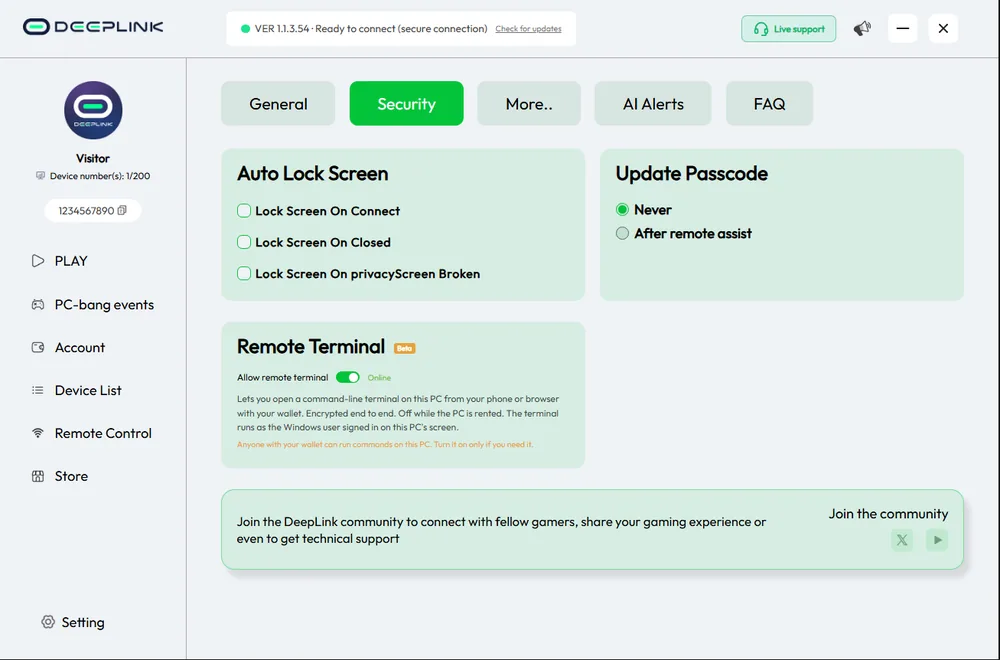
- In Setting → Security → Remote terminal, turn on 'Allow remote terminal'. You confirm your wallet password once more when turning it on. When it is on, 'Online' is shown next to it.
Step 2 · Choose your PC on the phone
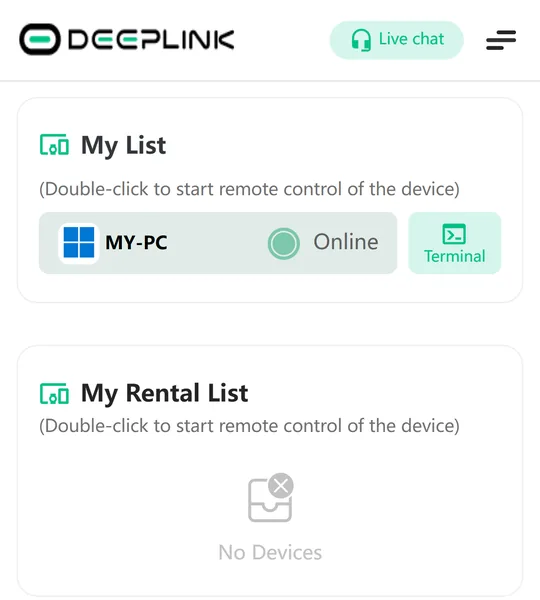
- Web browser: log in to web.deeplinkgame.com with the same wallet → in 'Device List' (My List), [Terminal] to the right of your PC
- Remote-only web: log in to web.deeplinkai.cloud with the same wallet → under 'Remote terminal (beta)' at the bottom of the 'Remote' screen, [Terminal] for your PC
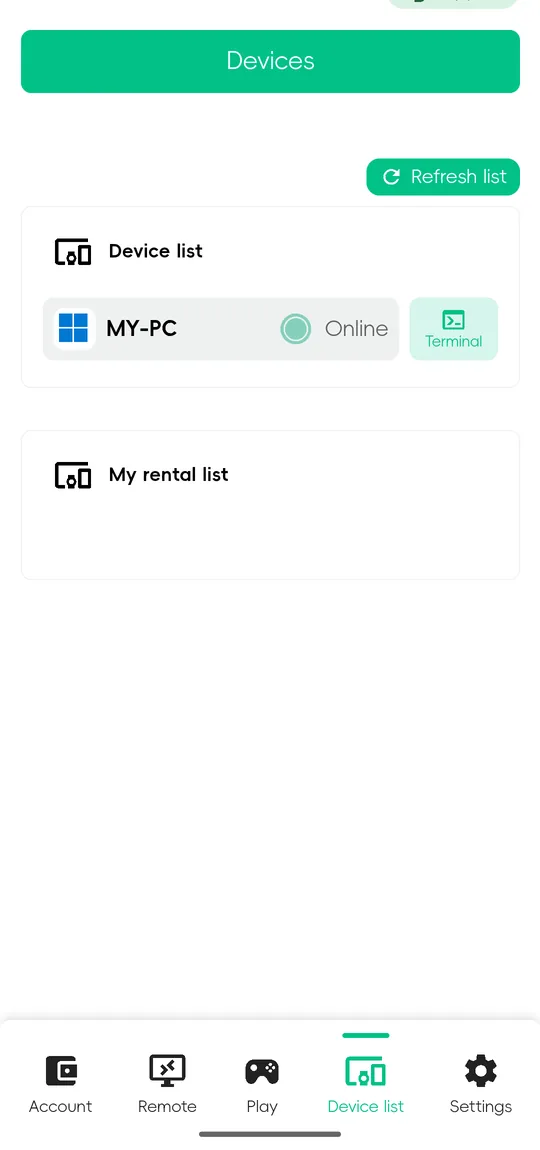
- Android app (1.2.0.33 or later): 'Device list' tab at the bottom → [Terminal] to the right of your PC · Get the app from Download.
- It has not yet been fully tested in iPhone and iPad browsers (beta).
Step 3 · Connect and run commands
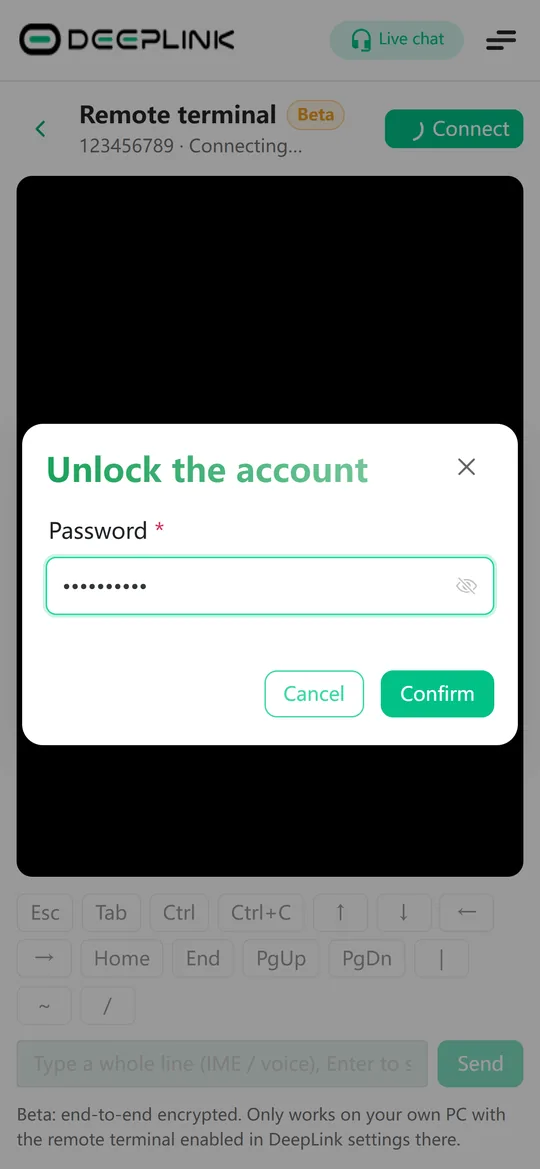
- Tap [Connect] and enter your wallet (account) password. Without a licence the connection is refused.
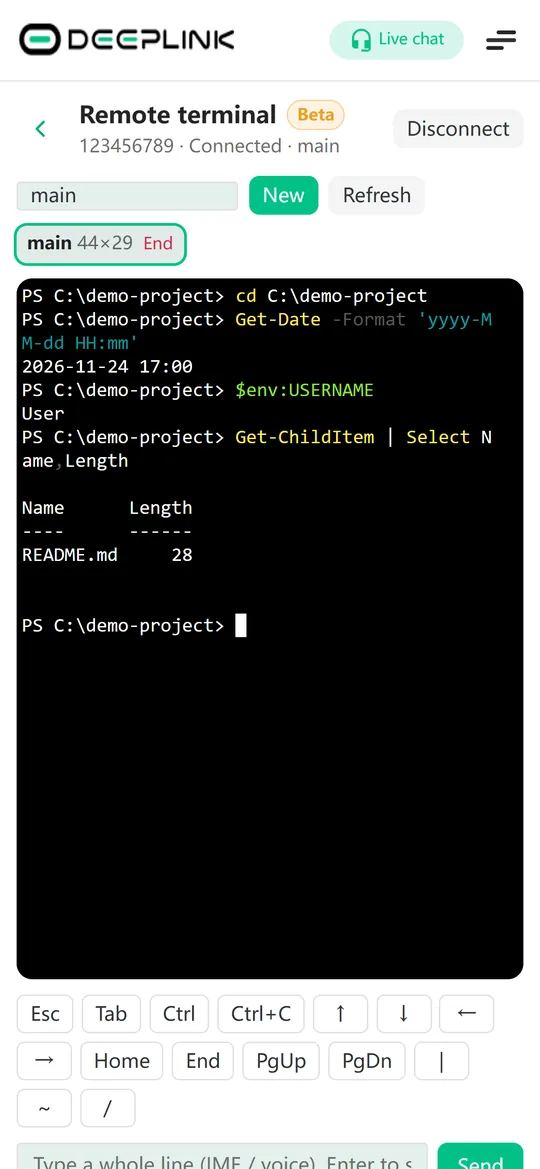
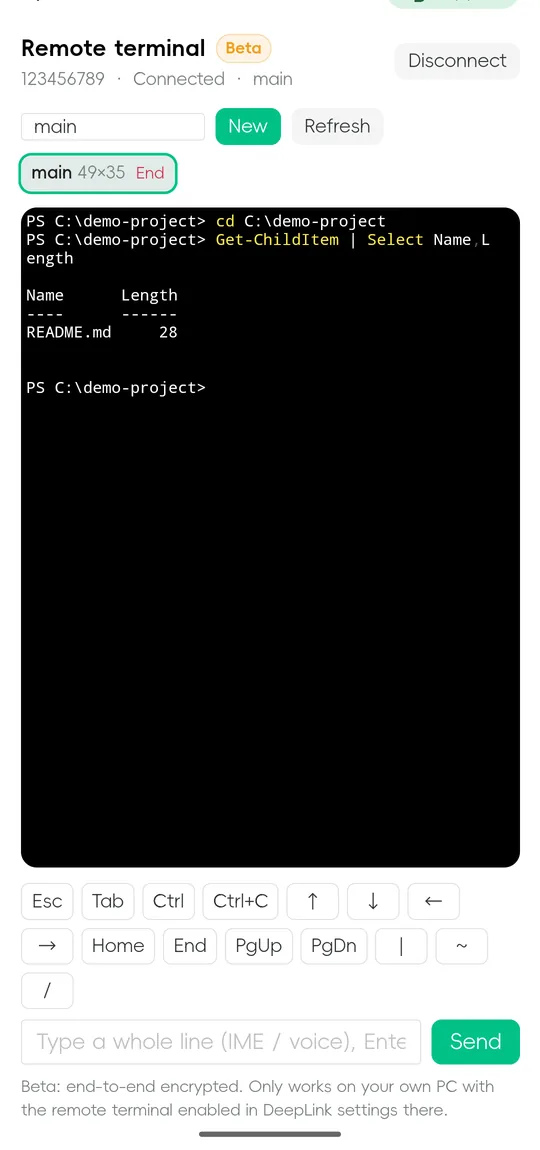
- When 'Connected' is shown, type your commands. You can use the shortcut bar at the bottom (Esc, Tab, Ctrl, Ctrl+C, arrow keys and more) and the one-line input box.
- Give a session a name and tap [New] to open several sessions; close one you no longer need with [End] next to it.
Connecting a Linux server (beta)
Besides Windows PCs, you can install deeplink-host on a Linux server (cloud VM, mini PC and so on) and reach it with the remote terminal. Installing is one line; you then connect by entering a code under 'Device List' → 'Connect Linux/Mac server (Beta)' on the web. macOS is coming later. How to install and connect a Linux server
Security
- The content is end-to-end encrypted (ECDH P-256 + AES-256-GCM). Not even the relay server can read it.
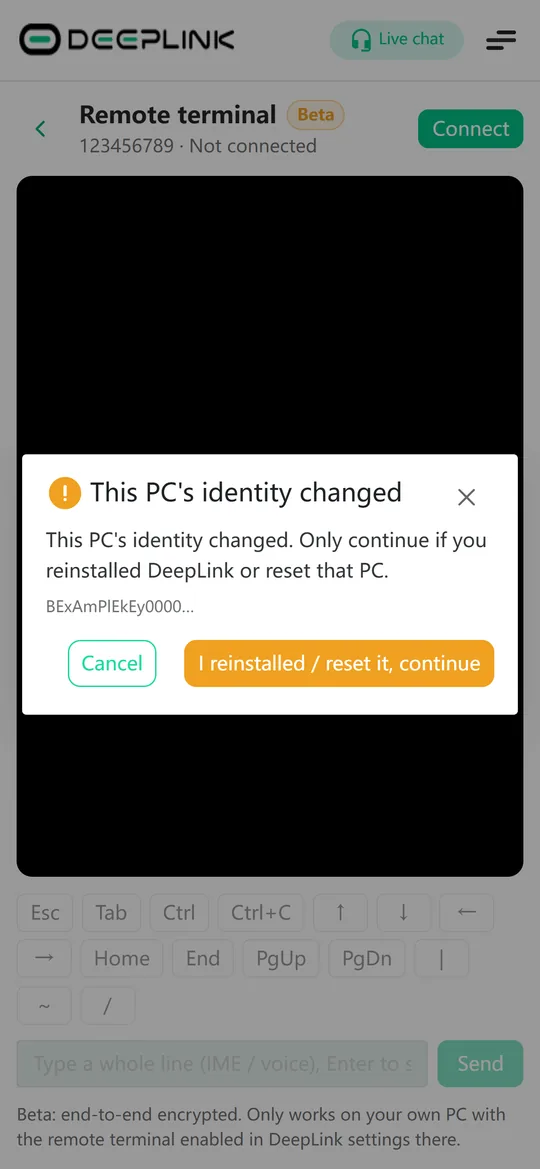
- The PC's identity key is pinned, and you are warned if it changes. Unless you reinstalled DeepLink or reset the PC, tap Cancel.
- It connects only to your own PC. You cannot connect to someone else's PC.
- It runs as the Windows user signed in on the PC, not as administrator or SYSTEM.
- All open sessions end immediately when the PC is rented out, the setting is turned off, the wallet is changed or you log out.
Easy to use on a phone
- A shortcut bar with Esc, Tab, Ctrl, arrow keys and more
- The one-line input box works with your keyboard's input method and voice input
- If your phone disconnects, the session on the PC keeps running; when you connect again you rejoin the same session and see the earlier output. A session ends automatically after 24 hours with no output and no connection
- You can open several sessions, with up to 4 connections to one PC at the same time
Frequently asked questions
Can I connect to someone else's PC?
No. You can only connect to your own PC: you log in with your wallet, the PC is linked to your device list, and 'Allow remote terminal' has been turned on in that PC's settings.
Does it run with administrator rights?
No. It runs as the Windows user currently signed in on the PC, not as administrator or SYSTEM.
If the connection drops, does my work stop?
No. The session on the PC keeps running when your phone disconnects; when you connect again you rejoin the same session and can see the output in the meantime. A session ends automatically after 24 hours with no output and no connection, and also when the PC or the DeepLink service restarts. You can have several sessions open at once.
Can anyone in between see what I type?
The content is end-to-end encrypted (ECDH P-256 + AES-256-GCM), so not even the relay server can read it. The PC's identity key is pinned, and you are warned if it changes.
What if my PC is rented out to someone?
All open sessions end immediately when the PC is rented out, the setting is turned off, the wallet is changed or you log out.
Remote Terminal is a beta feature. Features and conditions may change.
Send beta feedback
Tell us what got in your way or what you would like to see through support. We use your feedback to improve the feature.